
Keeping your robot lawn mower in good condition is one of the easiest ways to improve cutting performance, extend its lifespan, and reduce unexpected maintenance issues. Regular maintenance not only helps your mower deliver a cleaner, more consistent cut, but also protects key components such as the blades, battery, wheels, and navigation system.
This guide covers everything you need to know—from cleaning and blade replacement to battery care, firmware updates, winter storage, and troubleshooting—so you can keep your mower operating reliably throughout the mowing season.
Regular robot lawn mower maintenance includes cleaning the mower every 1–2 weeks, replacing worn blades every 1–2 months, checking battery health regularly, keeping the firmware up to date, and preparing the mower for winter before freezing temperatures.
Robot Lawn Mower Maintenance Checklist
|
Maintenance Task |
Recommended Frequency |
|
Clean the mower |
Every 1–2 weeks |
|
Replace worn blades |
Every 1–2 months |
|
Check battery health |
Once a month |
|
Inspect wheels and sensors |
Once a month |
|
Update firmware |
Whenever a new update is available |
|
Prepare for winter storage |
Before the first frost |
Why Regular Robot Lawn Mower Maintenance Matters
A robot lawn mower is designed to operate automatically for months at a time, but regular use also means its blades, wheels, sensors, and battery are exposed to grass clippings, dirt, moisture, and changing weather conditions. Without routine maintenance, these components can gradually lose efficiency, affecting both mowing performance and long-term reliability.
Taking a few minutes to inspect and maintain your mower on a regular basis can help you:
- Maintain a cleaner, more consistent cut
- Extend the lifespan of blades, batteries, and other key components
- Improve traction and mowing performance on different lawn conditions
- Keep navigation sensors working accurately
- Reduce the risk of unexpected downtime and costly repairs
Regular maintenance is also an opportunity to identify worn parts or minor issues before they develop into larger problems. Whether you use your robot lawn mower several times a week or on a daily schedule, a consistent maintenance routine helps ensure reliable performance throughout the mowing season.
Maintenance 1: Clean Your Robot Lawn Mower Regularly
Cleaning your robot lawn mower is one of the simplest and most effective ways to maintain reliable performance. Grass clippings, mud, dust, and other debris can gradually build up around the blades, wheels, sensors, and charging contacts. If left unchecked, this buildup may reduce cutting efficiency, affect traction, interfere with navigation, and place additional strain on the battery.
For most homeowners, cleaning the mower every one to two weeks during the growing season is enough to keep it operating at its best. If your lawn is frequently wet or produces heavy grass clippings, more frequent cleaning may be beneficial.
How to Clean a Robot Lawn Mower
Follow these steps to clean your robot lawn mower safely:
1. Turn off the mower completely.
Before performing any maintenance, switch off the mower using the main power button or remove the safety key (if applicable) to prevent accidental operation.
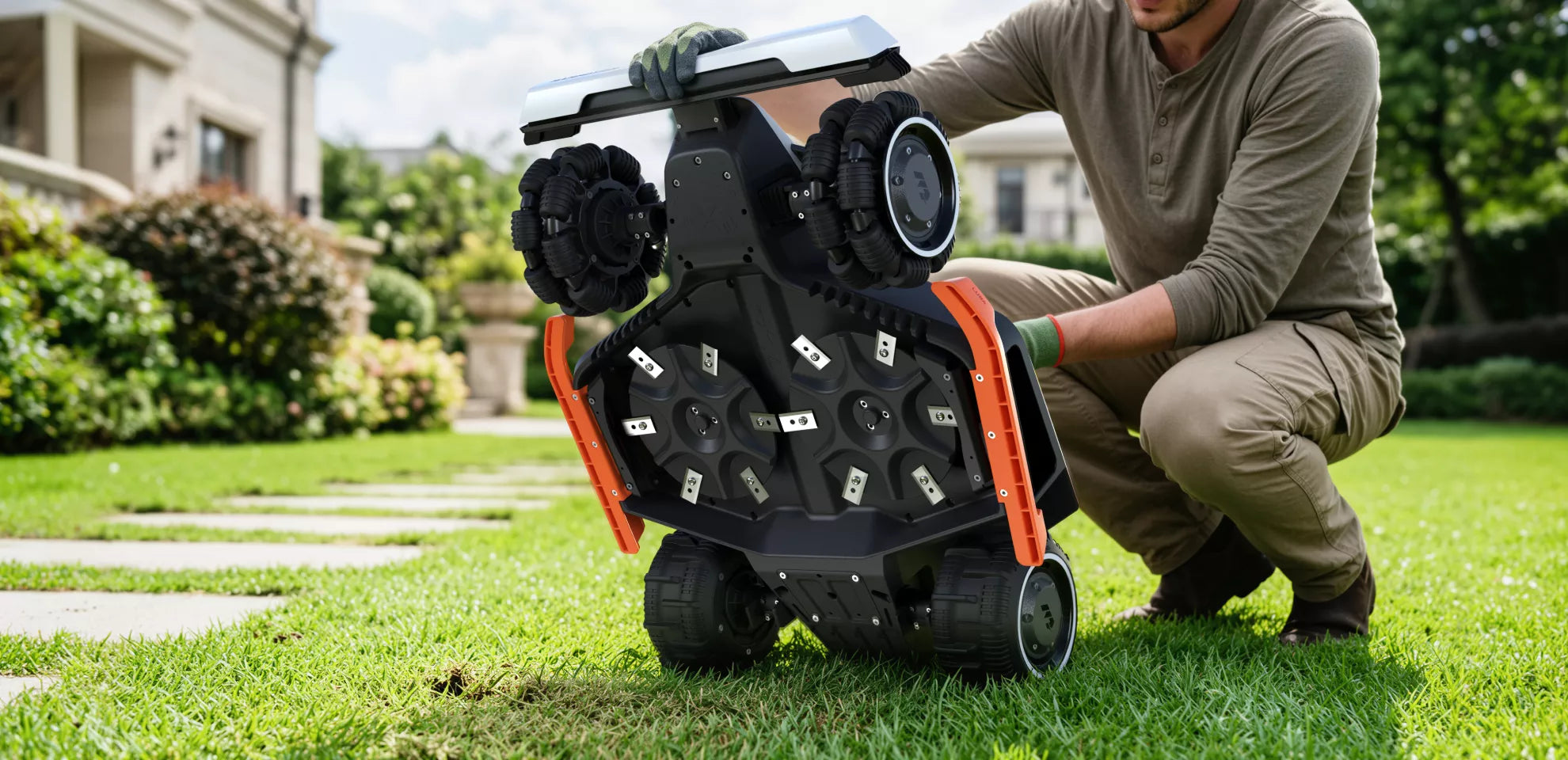
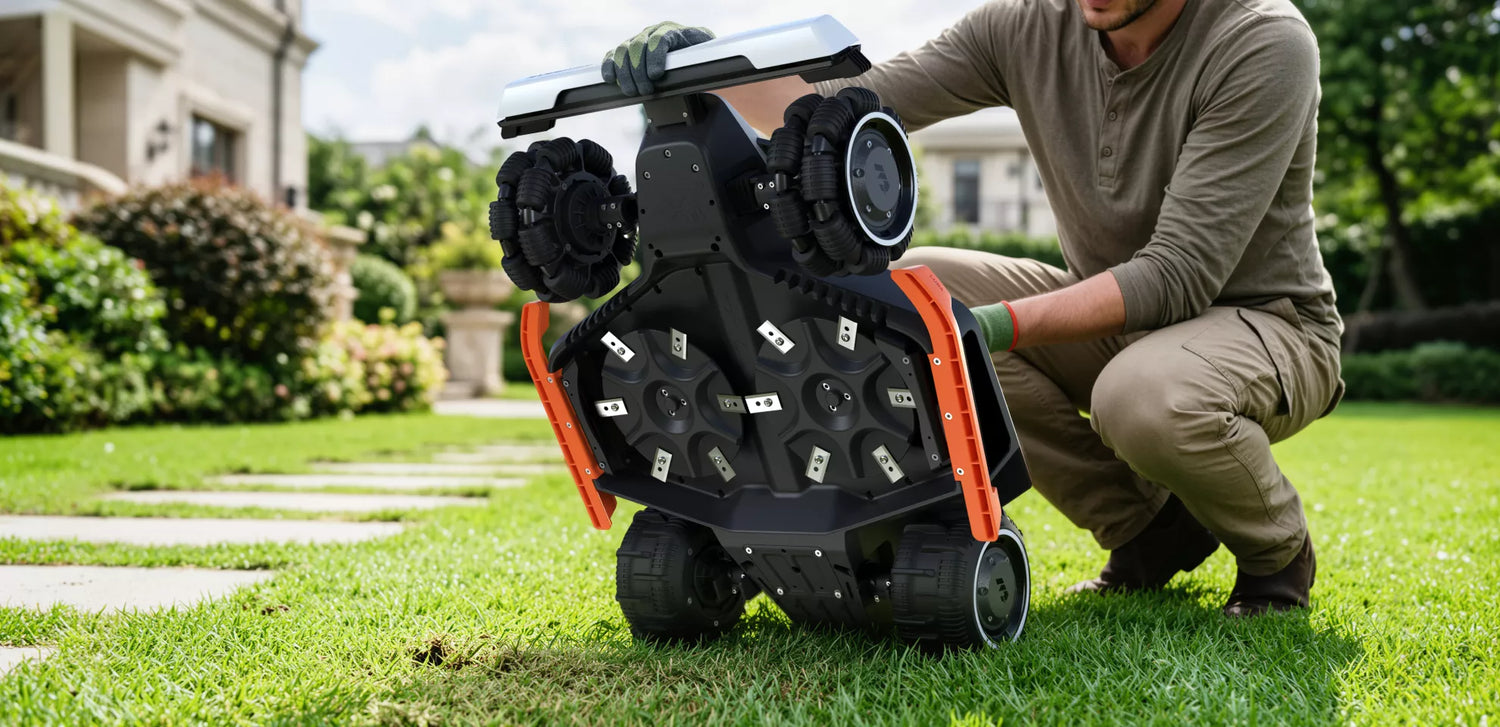
2. Remove grass and debris from the underside.
Wear protective gloves before handling the cutting deck. Use a soft brush or plastic scraper to remove grass clippings, dirt, and debris from the blades and cutting deck. Avoid using metal tools that could damage components.
3. Clean the wheels.
Brush away mud, grass, and other debris from the drive wheels while rotating them by hand. Clean wheels provide better traction and help the mower navigate slopes and uneven terrain more effectively.
4. Wipe the sensors and exterior.
Use a clean microfiber cloth to gently wipe the camera lenses, sensors, and outer housing. Keeping these areas clean helps maintain accurate navigation and obstacle detection.
5. Clean the charging station.
Remove dust and debris from the charging contacts using a dry microfiber cloth. Clean charging contacts help ensure a reliable connection every time the mower returns to recharge.
Cleaning Tips
- Never clean the mower while it is powered on.
- Avoid using a pressure washer unless the manufacturer specifically states that it is safe.
- If your mower has a high IP rating, a gentle rinse with a garden hose may be acceptable—always follow the manufacturer's cleaning recommendations.
- Allow the mower to dry completely before returning it to the charging station.
Note: To prevent water from entering the robotic mower, do not wash the machine directly with a high-pressure hose. If you have questions about how to clean Mammotion robotic mowers, please contact us.
Maintenance 2: Replace Worn Blades Regularly
The cutting blades are one of the few wear-and-tear components on a robot lawn mower and play a direct role in mowing quality. Sharp blades cut grass cleanly, helping maintain a healthier, better-looking lawn. As blades become dull or damaged, they begin to tear rather than cut the grass, leaving ragged edges that may turn brown or become more susceptible to disease.
For most homeowners, blades should be inspected regularly and replaced every 1–2 months during the mowing season. However, the exact replacement interval depends on factors such as lawn size, mowing frequency, grass type, and whether the blades have struck stones, branches, or other hard objects.

Signs It's Time to Replace the Blades
Replace the blades if you notice any of the following:
- Grass tips appear torn or uneven after mowing
- The mower leaves an inconsistent cutting finish
- The blades are chipped, bent, or visibly worn
- The mower produces more noise than usual while cutting
How to Replace Robot Lawn Mower Blades Safely
1. Turn off the mower completely.
Power off the mower and remove the safety key (if applicable) before performing any maintenance.
2. Wear protective gloves.
Even worn blades can be sharp. Gloves help protect your hands while removing and installing blades.
3. Remove the old blades.
Place the mower on a stable surface and use the appropriate screwdriver to remove the blade screws. Carefully remove the old blades.
4. Install the new blades.
Attach the new blades using the supplied screws, making sure each blade can rotate freely after installation.
5. Replace the screws as well.
Whenever you replace the blades, install new screws rather than reusing the old ones. This helps maintain a secure fit and reduces the risk of the blades loosening during operation.
Blade Replacement Tips
- Always use blades designed for your specific mower model.
- Replace all blades at the same time to maintain balanced cutting performance.
- Inspect the cutting disc for debris or damage before installing new blades.
- Dispose of worn blades safely to prevent accidental injury.
Maintenance 3: Maintain Battery Health
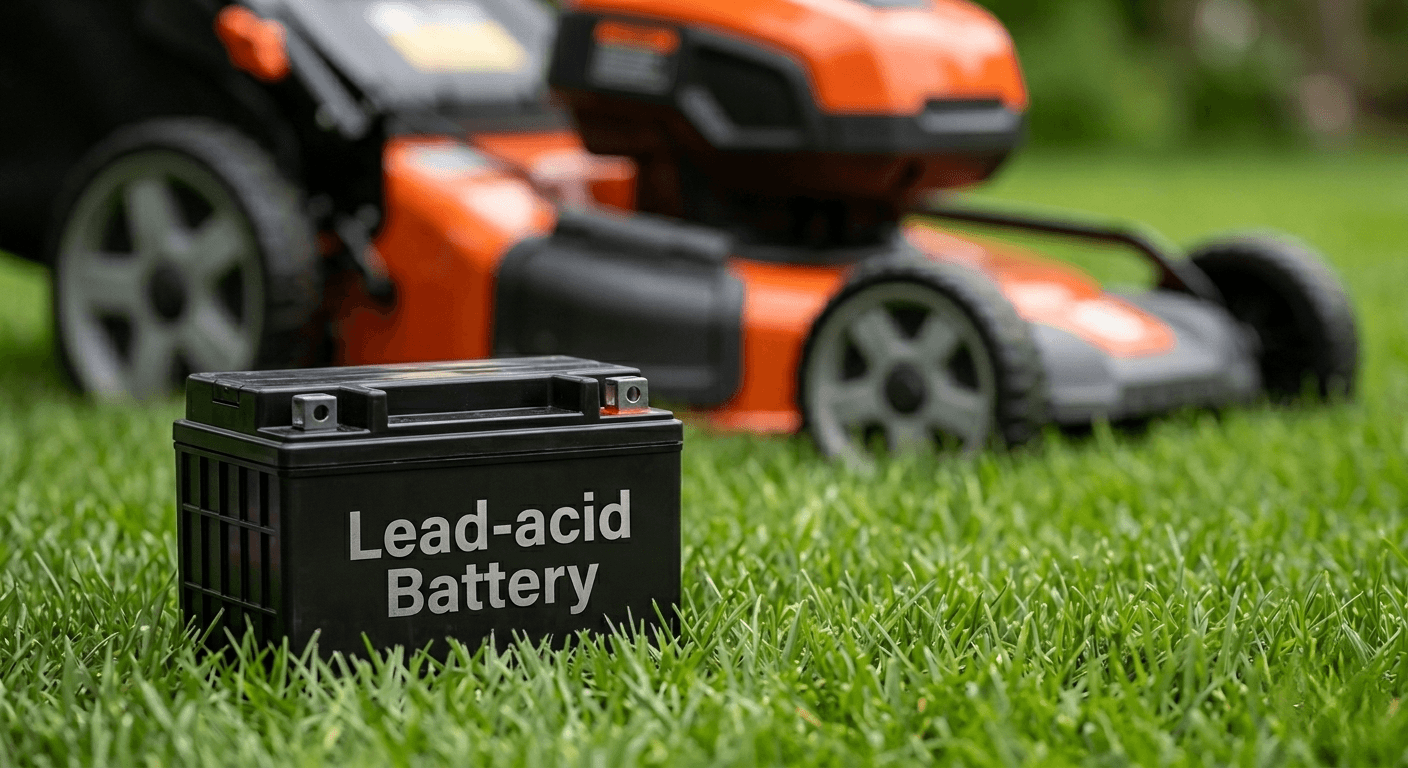
The battery is one of the most important components of a robot lawn mower. Proper battery care helps maximize runtime, maintain consistent mowing performance, and extend the overall lifespan of the mower. While modern lithium-ion batteries are designed for long-term use, excessive heat, improper storage, and poor charging habits can gradually reduce their capacity over time.
Fortunately, maintaining battery health requires very little effort. A few simple habits can help keep your mower operating efficiently throughout the mowing season.
Tips for Maintaining Your Robot Mower Battery
1. Keep the charging station out of direct sunlight.
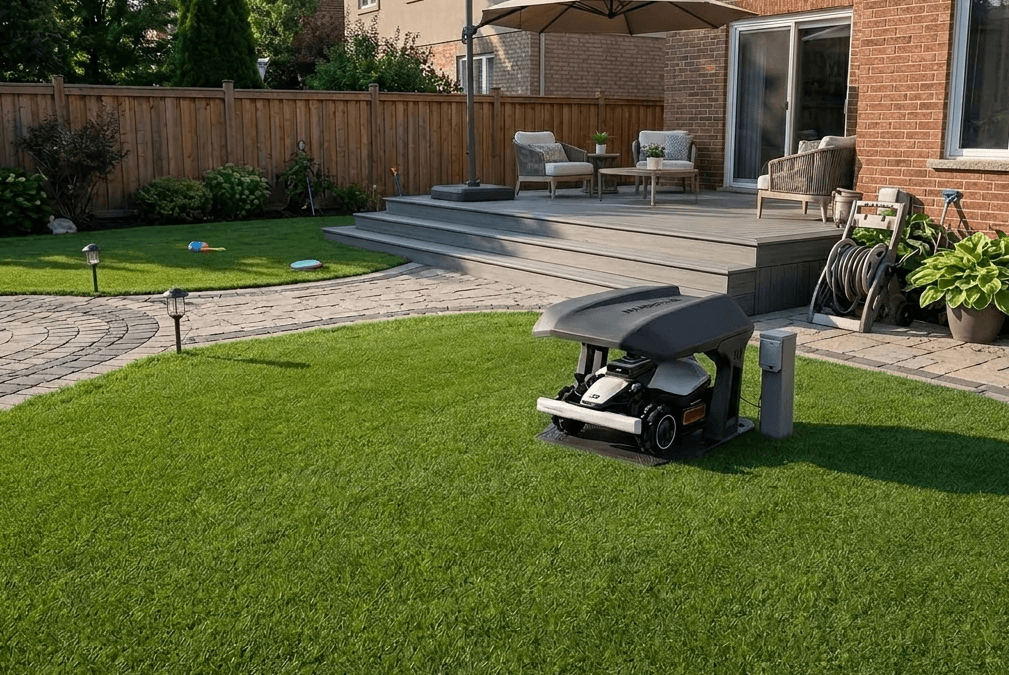
Whenever possible, install the charging station in a shaded area or use a mower garage to help reduce heat exposure during charging. Lower charging temperatures can help improve long-term battery performance.
2. Allow the mower to charge automatically.
Robot lawn mowers are designed to return to the charging station whenever the battery runs low. Allowing the mower to manage its own charging cycle is generally the best way to maintain battery health.
3. Avoid long-term storage with a low battery.
Before storing the mower for an extended period, charge the battery according to the manufacturer's recommendations. This helps prevent deep discharge and protects the battery during storage.
4. Keep the firmware up to date.
Many modern robot lawn mowers include intelligent battery management features that optimize charging and energy use. Installing the latest firmware ensures these improvements are available on your mower.
Some advanced models, such as the Mammotion LUBA 3 AWD and LUBA mini 2 AWD Series, feature an integrated Battery Management System (BMS) that continuously monitors battery conditions and automatically adjusts charging to help protect long-term battery health.
Battery Care Tips
- Avoid exposing the mower to excessive heat for extended periods.
- Store the mower in a dry, well-ventilated location during the off-season.
- Follow the manufacturer's recommended charging and storage guidelines.
- Inspect the charging contacts regularly and keep them clean for reliable charging.
Maintenance 4: Keep Your Robot Lawn Mower Updated
Modern robot lawn mowers rely on more than just hardware. Navigation, obstacle avoidance, battery management, and overall mowing performance are increasingly driven by software. Keeping your mower's firmware and mobile app up to date helps ensure you benefit from the latest improvements and maintain reliable operation throughout the mowing season.
Manufacturers regularly release firmware updates to improve performance, fix known issues, enhance navigation accuracy, and introduce new features. Installing these updates can help your mower operate more efficiently and reduce the likelihood of software-related problems.
Why Firmware Updates Matter
Regular firmware updates can help:
- Improve navigation and positioning accuracy
- Enhance obstacle detection and avoidance
- Optimize battery management and charging performance
- Resolve software bugs and improve system stability
- Unlock new features and performance improvements
Best Practices for Firmware Updates
- Check for firmware updates regularly through the manufacturer's app.
- Keep the mobile app updated to ensure compatibility with the latest firmware.
- Install updates when the mower has sufficient battery power and a stable network connection.
- Avoid interrupting the update process until installation is complete.
For connected robotic mowers, keeping both the firmware and companion app up to date is one of the easiest ways to maintain optimal performance without replacing any hardware.
Maintenance 5: Prepare Your Robot Lawn Mower for Winter
When the mowing season comes to an end, taking a few simple steps before storing your robot lawn mower can help protect its components and ensure it's ready to perform next spring. Proper winter storage is especially important in regions where freezing temperatures or extended periods of inactivity can affect battery health and overall reliability.
Winter Storage Checklist
Before storing your robot lawn mower for the winter:
- Clean the mower thoroughly, including the cutting deck, wheels, and sensors.
- Inspect the blades and replace them if they are worn or damaged.
- Charge the battery according to the manufacturer's recommended storage level.
- Power off the mower completely before long-term storage.
- Store both the mower and charging station in a dry, protected location away from freezing temperatures whenever possible.
Additional Winter Care Tips
- Remove grass clippings and moisture before storage to help prevent corrosion.
- Check the battery charge periodically during extended storage if recommended by the manufacturer.
- Inspect the mower before the new mowing season and install any available firmware updates before putting it back into service.
If your area experiences harsh winters, following the manufacturer's winter storage recommendations can help extend the lifespan of both the battery and the mower's key components.
Troubleshoot Common Robot Lawn Mower Problems
Even with regular maintenance, your robot lawn mower may occasionally encounter minor issues. In many cases, these problems can be resolved quickly with a few simple checks before contacting customer support.
The table below covers some of the most common issues homeowners experience and their possible solutions.
|
Problem |
Possible Cause |
Recommended Solution |
|
The mower isn't charging |
Dirty charging contacts, poor docking position, or a loose power connection |
Clean the charging contacts, make sure the charging station is level, and check that the power cable is securely connected. |
|
Poor cutting performance |
Worn blades or excessive grass buildup underneath the mower |
Clean the cutting deck and replace the blades if they are dull or damaged. |
|
Reduced traction or wheel slipping |
Mud, wet grass, or debris on the wheels |
Clean the wheels thoroughly and remove any built-up grass or dirt. |
|
Navigation or obstacle detection issues |
Dirty cameras or sensors, or outdated firmware |
Clean the sensors and camera lenses, then check for the latest firmware update. |
|
Boundary wire errors (traditional models only) |
Broken or damaged boundary wire |
Inspect the wire for damage and repair or replace the affected section if necessary. Wire-free models do not require boundary wires. |
If the issue persists after completing these basic checks, consult your manufacturer's support resources or contact customer service for further assistance.
Frequently Asked Questions
1. How often should I clean a robot lawn mower?
During the growing season, it's generally recommended to clean your robot lawn mower every 1–2 weeks. If you mow frequently or your lawn is often wet, you may need to clean the cutting deck, wheels, and sensors more often to maintain optimal performance.
2. How often should robot lawn mower blades be replaced?
Most robot lawn mower blades should be replaced every 1–2 months, depending on mowing frequency, lawn conditions, and grass type. Inspect the blades regularly and replace them whenever they become dull, chipped, or bent to maintain a clean, healthy cut.
3. Can I wash my robot lawn mower with water?
It depends on your mower's IP rating and the manufacturer's recommendations. Never use a pressure washer, as high-pressure water can damage seals and sensitive components. Some models with higher water-resistance ratings can be rinsed gently with a garden hose, while others should be cleaned with a soft brush or damp cloth.
4. Can I use my robot lawn mower every day?
Yes. Robot lawn mowers are designed for frequent mowing and can operate daily if needed. Cutting a small amount of grass each day helps maintain a healthier lawn and produces finer clippings that decompose naturally. However, it's best to avoid mowing during heavy rain or extreme heat whenever possible.
5. How long does a robot lawn mower battery last?
Most lithium-ion batteries provide several years of normal use, although battery lifespan varies depending on usage, charging habits, and storage conditions. Following the manufacturer's maintenance recommendations and avoiding prolonged exposure to extreme temperatures can help maximize battery life.
6. Should I leave my robot lawn mower or charging station outside during winter?
In areas with freezing temperatures, it's generally recommended to store both the mower and charging station indoors or in a dry, protected location during the off-season. Proper winter storage helps protect electronic components and maintain battery health.
7. How do I know when my robot lawn mower needs maintenance?
Common signs include reduced cutting quality, torn grass tips, increased operating noise, wheel slippage, navigation issues, or charging problems. Regular inspections can help identify worn parts before they affect overall performance.
Did you like this article? Add us as a preferred source to find us more easily on Google.