
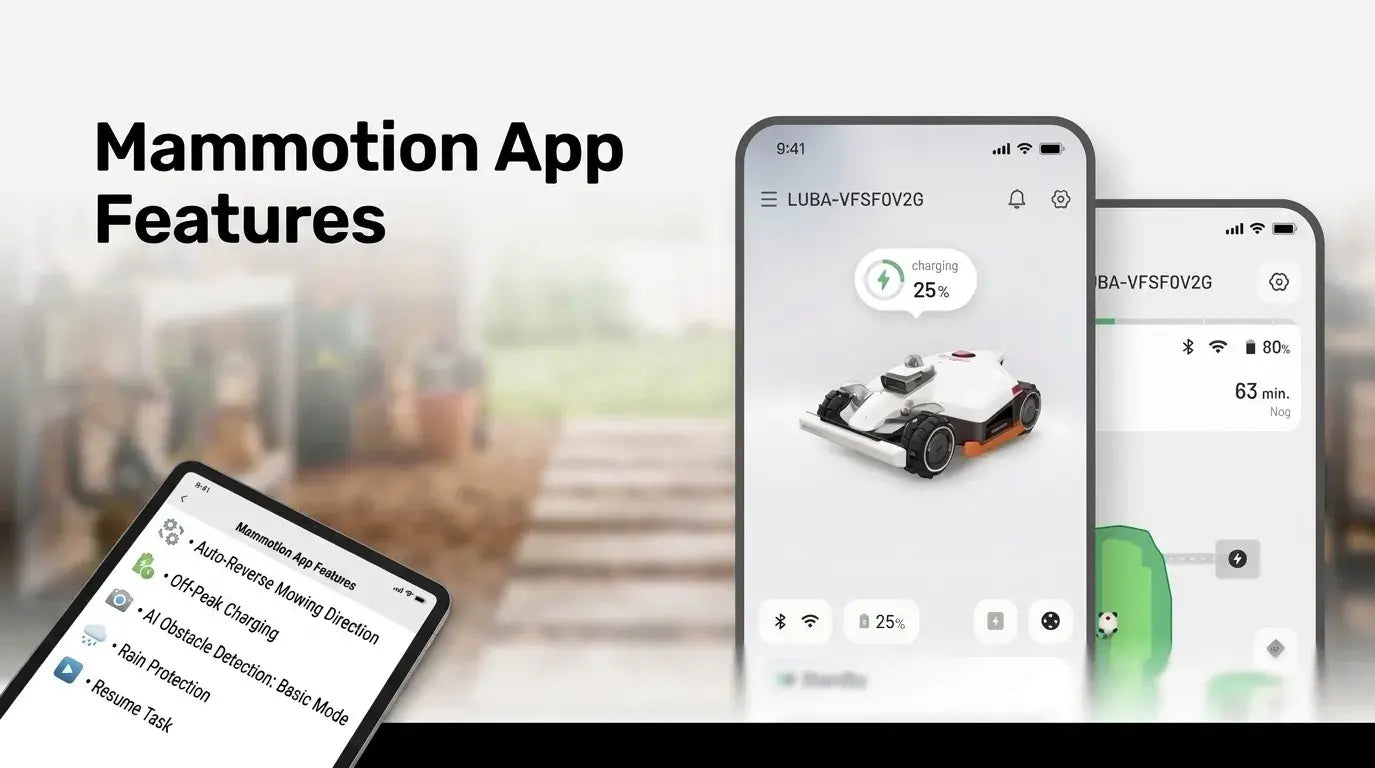
The Mammotion app has received a series of updates throughout 2026, adding new tools for mapping, mowing control, battery management, energy use, obstacle detection, iNavi coverage checking, rain protection, task recovery, and remote control. This guide brings the latest features together in one place, with supported models and availability information so you can quickly see which updates apply to your Mammotion robot mower.
Some features are already available across supported models, while others were introduced on August 12, 2026 or are being rolled out by model and platform. Check each section below for the supported models, availability, and what the latest update changes.
| Update Status | Features Included |
|---|---|
| New features launched August 12, 2026 | Real View · Auto-Reverse Mowing Direction · Travel Speed · AI Obstacle Detection: Basic Mode · Rain Protection · Resume Task |
| Previously launched features | Redraw Section · Station-Free Mapping · Custom Zone Settings · Cloud Backup · Adaptive Recharge · Charge Limit · Off-Peak Charging · Low-Temperature Preheating · EcoSleep · Task Report |
| Rolling availability | iNavi Coverage Check · App Remote Control |
Note: Supported models vary by feature. See each section below for model-specific availability. Download Mammotion-App.
1. Map Management: More Flexible Mapping
The latest Mammotion app updates make map creation, correction, backup, and review more flexible, with new tools that let you edit individual sections, map areas without starting at the charging station, and view completed mowing areas in a more realistic way.
| Feature | What It Does | Supported Models | Availability | Rec. |
|---|---|---|---|---|
| Redraw Section | Redraw only the incorrect section without recreating the entire map | LUBA 3 AWD / LUBA mini 2 AWD / YUKA mini 2 | Already launched | Yes |
| Station-Free Mapping | Start manual mapping from locations other than the charging station | LUBA 3 AWD / LUBA mini 2 AWD / YUKA mini 2 | Already launched | Yes |
| Custom Zone Settings | Guided steps for creating and editing No-Go Zones and virtual fences | LUBA 3 AWD / LUBA mini 2 AWD / YUKA mini 2 | Already launched | Yes |
| Cloud Backup | Stores up to 10 maps in your Mammotion account across devices | LUBA 3 AWD / LUBA mini 2 AWD / YUKA mini 2 / LUBA mini AWD | Already launched | Yes |
| Real View — NEW | Generates a textured, real-world image of the garden after a task | LUBA 3 AWD / LUBA mini 2 AWD / YUKA mini 2 | Aug 12, 2026 | Yes |
Redraw Section
Redraw Section lets you correct a specific part of an existing map without deleting and recreating the rest of the map. Select the section that needs correction, redraw it, and keep the other confirmed areas unchanged.
This is particularly useful when only one boundary or mapped section needs adjustment. Instead of starting the mapping process again, you can make a more targeted correction.
Station-Free Mapping
Station-Free Mapping lets you begin manual mapping from a location other than the charging station, making it possible to map areas that are difficult for the mower to reach directly from the station.
For an isolated lawn area separated by steps or another physical obstacle, you can carry the mower to that area and map it separately. Once completed, the isolated map appears alongside the other regular maps without requiring manual map stitching.

Custom Zone Settings
Custom Zone Settings provides step-by-step guidance when creating or editing No-Go Zones, virtual fences, and obstacle-free zones.
The guided editing process helps you complete each type of zone without having to work out the required steps yourself. This is especially useful when modifying an existing map and adding or adjusting different types of restricted areas.
Cloud Backup
Cloud Backup lets you save up to 10 maps to your Mammotion account, allowing map data to follow your account rather than remaining tied to a single phone or mower.
After signing in on another phone or setting up a new supported mower, your saved map data can be transferred through your Mammotion account without manually exporting or recreating the maps. This is useful when upgrading devices or managing the same garden from multiple phones.

Real View — NEW
Real View generates a textured, real-world image of the garden after a task is completed, giving you a more visual way to review the completed mowing area and compare it with the mapped garden.
Unlike the usual abstract map view, Real View provides a representation based on the physical garden, helping you see the completed area in a context that is closer to the actual lawn.

2. Mowing Routes and Travel: More Intelligent
The latest route and mowing updates give you more control over how the mower travels between mowing areas and allow it to alternate mowing directions between tasks to help reduce grass matting.
| Feature | What It Does | Supported Models | Availability | Rec. |
|---|---|---|---|---|
| Auto-Reverse Mowing Direction — NEW | Alternates the direction of mowing routes between tasks | LUBA 3 AWD / LUBA mini 2 AWD / YUKA mini 2 (Vision & LiDAR) | Aug 12, 2026 | Yes |
| Travel Speed — NEW | Adjusts autonomous travel speed when not actively mowing | LUBA 3 AWD / LUBA mini 2 AWD / YUKA mini 2 | Aug 12, 2026 | Depends |
Auto-Reverse Mowing Direction — NEW
Auto-Reverse Mowing Direction alternates the direction of the mower's mowing routes between tasks to help reduce grass matting caused by repeatedly following the same direction.
The feature works slightly differently depending on the model:
- LUBA 3 AWD: Applies to both interior and perimeter mowing routes.
- YUKA mini 2 (Vision & LiDAR): Applies to both interior and perimeter mowing routes.
- LUBA mini 2 AWD 1000 & 1500: Applies to interior mowing routes only.

Travel Speed — NEW
Travel Speed lets you adjust how quickly the mower travels autonomously when it is moving between mowing areas rather than actively cutting grass.
The setting is independent of: Mowing speed, Manual control speed, and Wildlife Safety speed. Changing Travel Speed therefore does not change the mower's configured mowing speed or the speed used for manual control.

Recommended: Depends on your lawn layout and how you want the mower to move between mowing areas.
3. Battery Charging: Flexible Ways to Manage Power
The latest battery features give you more control over when and how your mower charges, helping you balance task completion, battery charging habits, and electricity costs.
| Feature | What It Does | Supported Models | Availability | Rec. |
|---|---|---|---|---|
| Adaptive Recharge | Calculates required charge to finish task and charges to target | LUBA 3 AWD / LUBA mini 2 AWD / YUKA mini 2 | Already launched | Yes |
| Charge Limit | Sets max charge level to protect long-term battery health | LUBA 3 AWD / LUBA mini 2 AWD / YUKA mini 2 | Already launched | Yes |
| Off-Peak Charging | Schedules charging specifically during off-peak power hours | LUBA 3 AWD / LUBA mini 2 AWD / YUKA mini 2 | Already launched | Depends on electricity rates |
Adaptive Recharge
Adaptive Recharge calculates how much battery power is needed for the remaining mowing area and charges to the required level instead of automatically charging to a fixed percentage or full capacity.
This allows the mower to recharge according to the remaining task rather than using the same charging target every time. It can reduce unnecessary charging while ensuring enough power is available to continue the scheduled task.
Charge Limit
Charge Limit lets you set a maximum charging level, such as 80%, to reduce the amount of time the battery remains at full charge when full capacity is not needed.
You can also use Smart Mode, which automatically maintains a lower charge level during normal periods and charges to full capacity closer to the next scheduled task.
Off-Peak Charging
Off-Peak Charging lets you define specific charging periods so the mower can automatically charge during the times you select.
Once the charging window is configured in the app, the mower follows the schedule automatically. This can be useful for households whose electricity rates vary by time of day.
Recommended: Yes, if your electricity plan has lower off-peak rates; otherwise, there may be little reason to configure a charging window.
4. Energy Management: Efficient Mowing & Battery Use
The Mammotion app adds several features that address battery operation in colder conditions, reduce unnecessary standby power, and give you a clearer view of the time and energy associated with your mowing tasks.
| Feature | What It Does | Supported Models | Availability | Rec. |
|---|---|---|---|---|
| Low-Temp Preheating | Warms the battery before mowing in cold temperatures | LUBA mini 2 AWD | Already launched | Yes |
| EcoSleep Mode | Puts station into deep low-power sleep state when idle | LUBA 3 AWD / LUBA mini 2 AWD | Already launched | Yes |
| Task Report | Summarizes environmental impact, time saved, and annual data | LUBA 3 AWD / LUBA mini 2 AWD / YUKA mini 2 | Already launched | Yes |
Low-Temperature Preheating
Low-Temperature Preheating automatically warms the battery to an appropriate operating temperature before mowing in cold conditions, helping maintain battery performance when temperatures are low.
This feature is particularly relevant during colder seasons or in locations with significant temperature changes between day and night. The preheating process takes place automatically before mowing when conditions require it.
EcoSleep Mode
EcoSleep Mode automatically places the charging station into a deep, low-power sleep state when the mower is not charging and no task is due soon.
The mode operates automatically without requiring you to manually put the station to sleep. According to Mammotion Atlas Lab figures, EcoSleep is expected to save around 100 kWh per year.

Task Report
Task Report brings your mowing data together in the app, including environmental impact, time saved compared with push mowing, and annual mowing statistics.
The feature includes three main reports:
- Green Life Report: Converts saved energy into an equivalent emissions figure and provides green badges as your reported savings accumulate.
- Total Time Saved: Compares the time your Mammotion mower spends mowing an area with the estimated time required using a push mower.
- Annual Report: Summarizes mowing data over a full year.
Recommended: Yes, if you want to track your mower's usage and see how your mowing activity translates into reported time and environmental savings.
5. App Experience: A Clearer Way to Manage Your Mower
The Mammotion app interface has been redesigned to make everyday controls easier to find, while new operation modes and AI obstacle detection give users more flexibility in how they manage mowing tasks.
| Feature | What It Does | Supported Models | Availability | Rec. |
|---|---|---|---|---|
| Reimagined Home Screen | Clearer home layout, proactive notifications, and quick shortcuts | Full 2025 & 2026 range | iOS launched; Android rolling out late 2026 | Yes |
| Dual-Mode Settings | Offers Simplified and Expert modes for tailored control | Full 2025 & 2026 range | iOS launched; Android rolling out late 2026 | Yes |
| Device Management | Easier switching and monitoring between multiple devices | Full 2025 & 2026 range | iOS launched; Android rolling out late 2026 | Yes |
| Renewed Mapping UI | Reorganizes map controls into a clear vertical structure | Full 2025 & 2026 range | iOS launched; Android rolling out late 2026 | Yes |
| AI Obstacle Detection: Basic — NEW | Avoids obvious obstacles like people and vehicles | LUBA 3 AWD / LUBA mini 2 AWD / YUKA mini 2 | Aug 12, 2026 | Depends |
Reimagined Home Screen
The redesigned home screen puts key mower information and frequently used controls in a clearer layout, with proactive notifications that highlight items requiring attention.
A second screen also provides quick access to commonly used shortcuts, reducing the need to navigate through multiple menus.

Dual-Mode Operation Settings
Dual-Mode Operation Settings lets you choose between Simplified and Expert modes, so you can decide how much control and detail are displayed when configuring mowing tasks.
- Simplified Mode: Shows the essential settings for straightforward task configuration.
- Expert Mode: Provides access to the full range of available parameters. The cutting-height setting has also been changed from fixed presets to 1 mm increments, giving you finer control over the selected cutting height.
Device Management
The updated Device Management interface makes it easier to view, monitor, and switch between multiple Mammotion devices while keeping the experience simpler for single-device users.
Renewed Mapping Interaction
The redesigned mapping interface organizes map-related actions into a clearer vertical browsing structure, making map functions easier to navigate as additional tools are added.
The updated layout also provides room for future map-related features, allowing the mapping interface to accommodate additional functionality without requiring a complete redesign.
AI Obstacle Detection: Basic Mode — NEW
Basic mode provides automatic avoidance of obvious obstacles such as people and vehicles, but it does not detect every type of lawn hazard and should not replace No-Go Zones.

6. iNavi Service Availability: Check Coverage Directly in the App
The iNavi Coverage Check lets you verify service availability for your current location directly in the Mammotion app, without first setting up the mower to test the connection.
| Feature | What It Does | Supported Models | Availability |
|---|---|---|---|
| iNavi Coverage Check | Verifies iNavi service coverage directly in-app prior to mower setup | 2025 & 2026 series (Specifically 2026 LUBA 3 AWD, LUBA mini 2 AWD 1000, YUKA mini 2 800) | Rolling availability |

7. Rain Protection — NEW
Rain Protection gives you two ways to manage mowing around rainfall: Smart Mode uses online weather data, while Sensor Mode relies on the mower's built-in rain sensor.
When Rain Protection is triggered, the mower automatically returns to the charging station instead of continuing the task. After the configured protection period has ended, it can resume the unfinished task automatically.
| Feature | What It Does | Supported Models | Availability | Rec. |
|---|---|---|---|---|
| Rain Protection — NEW | Pauses mowing when rain is detected/forecasted and manages task recovery | LUBA 3 AWD / LUBA mini 2 AWD / YUKA mini 2 | Aug 12, 2026 | Yes |
| Smart Mode | Uses online weather data to determine when to pause and resume | Supported Rain Protection models | Aug 12, 2026 | Depends |
| Sensor Mode | Uses built-in rain sensor with customizable delay before resuming | Supported Rain Protection models | Aug 12, 2026 | Depends |

8. Resume Task — NEW
Resume Task lets the mower continue an interrupted or manually paused mowing task from the point where it stopped, rather than planning the entire route again from the beginning.
| Feature | What It Does | Supported Models | Availability | Rec. |
|---|---|---|---|---|
| Resume Task — NEW | Continues interrupted/paused tasks from exact point of stoppage | LUBA 3 AWD / LUBA mini 2 AWD / YUKA mini 2 | Aug 12, 2026 | Yes |

Recommended: Yes. It is particularly useful for lawns where mowing tasks are frequently interrupted or paused.
9. App Remote Access: Monitor and Control From Anywhere
App Remote Control lets you check mower status and send tasks remotely when both your phone and mower have an internet connection, without requiring them to be on the same local network (supports Wi-Fi or 4G Cellular connectivity).
| Feature | What It Does | Supported Models | Availability |
|---|---|---|---|
| App Remote Control | Remote status checks and task commands via Wi-Fi/4G network | Full 2025 and 2026 Mammotion robot mower range | 2025 models: Early Aug 2026 2026 models: Mid-to-late Aug 2026 |
As always, if you encounter any issues, our support team is ready to assist you—and if you have any feedback about any features, please let us know through the in-app feedback channel.
Did you like this article? Add us as a preferred source to find us more easily on Google.